Crazy Comic Constructor
A downloadable tool
COMING SOON...
MAKE COMICS
Crazy Comic Constructor is a full-featured desktop comic creation and publishing tool built for people who want to turn artwork, dialogue, and ideas into finished comic-book pages with simple drag-and-drop ease.
NEED IDEAS?
Here's how my family and I have used it:
- Take relationship photos of a couple and build out a wedding gift they'll keep forever
- Draw, scan, and make your own hokey comic
- Draw in GIMP, Painter, or just MS Paint to make images and drop them in
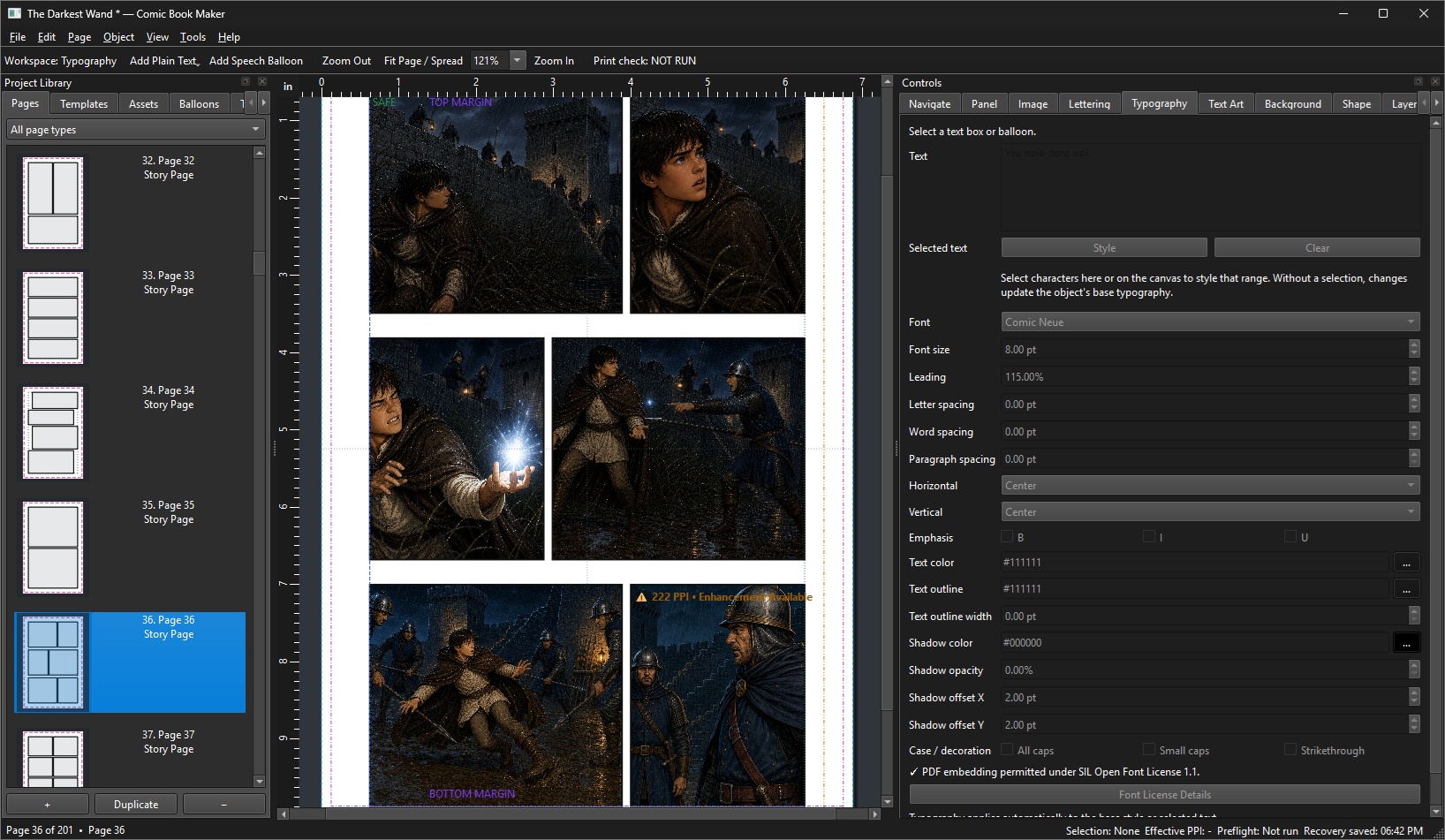
- For the demo images, I dropped in my novel, The Darkest Wand, into Codex and had it write a comic script and a frame-for-frame description. I built reference images and then used it to build out the frames. It's not perfect, but way better than I ever expected.
THE WORKFLOW
Lay out panels. Drop in artwork. Crop and position images. Build speech balloons. Create dramatic sound effects. Arrange pages. Check your work for print problems. Then export a finished PDF ready for publishing.
FROM BLANK PAGE TO COMIC PAGE
Crazy Comic Constructor brings the tools of a comic layout editor, lightweight desktop publisher, lettering system, and print-preflight utility together in one application.
- Build pages visually with flexible panel layouts and reusable templates
- Drag artwork directly into panels and crop, scale, rotate, flip, and position it nondestructively
- Create speech balloons and captions with editable vector shapes, tails, typography, and styling
- Make loud, ridiculous comic-book text with dedicated text-art tools for titles, sound effects, chapter headings, and dramatic lettering
- Work with layers, guides, bleed, trim, safe areas, and page numbering instead of guessing where things will land in print
- Check image resolution and publishing problems before they become expensive printed mistakes
- Export professional PDFs while preserving vector panels, balloons, text, and other supported artwork wherever possible
PANELS THAT DON'T HAVE TO BE BORING
Start with traditional grids or go wild.
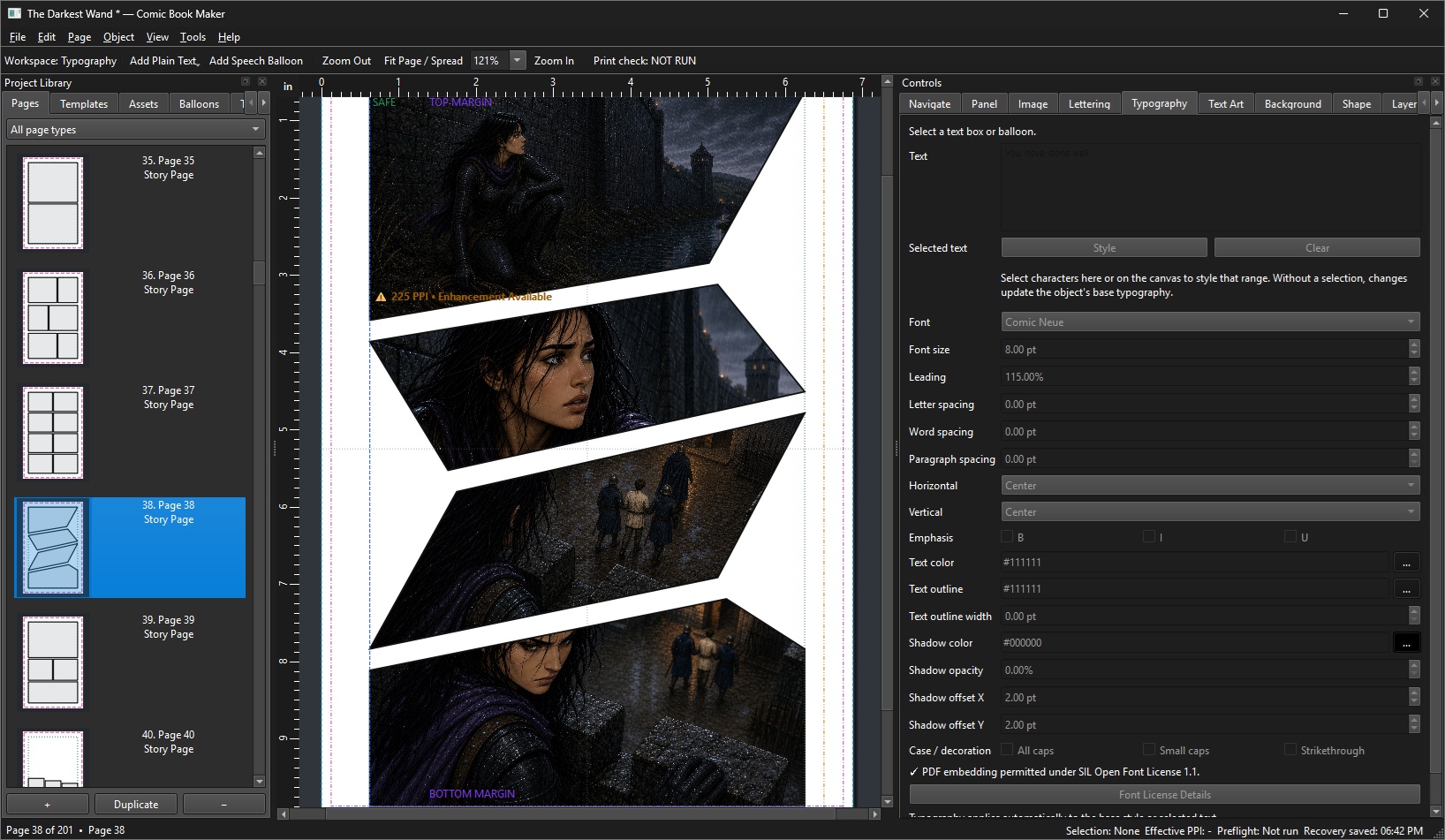
Crazy Comic Constructor includes support for everything from simple strips and splash pages to manga layouts, cinematic pages, diagonal compositions, inset panels, overlapping designs, borderless layouts, and custom panel geometry.
Create your own reusable templates, reshape panels, split them, combine them, rotate them, skew them, adjust gutters, and build layouts around the story instead of forcing the story into a rectangle.
LETTER IT LIKE A COMIC
Dialogue shouldn't feel like text pasted on top of artwork.
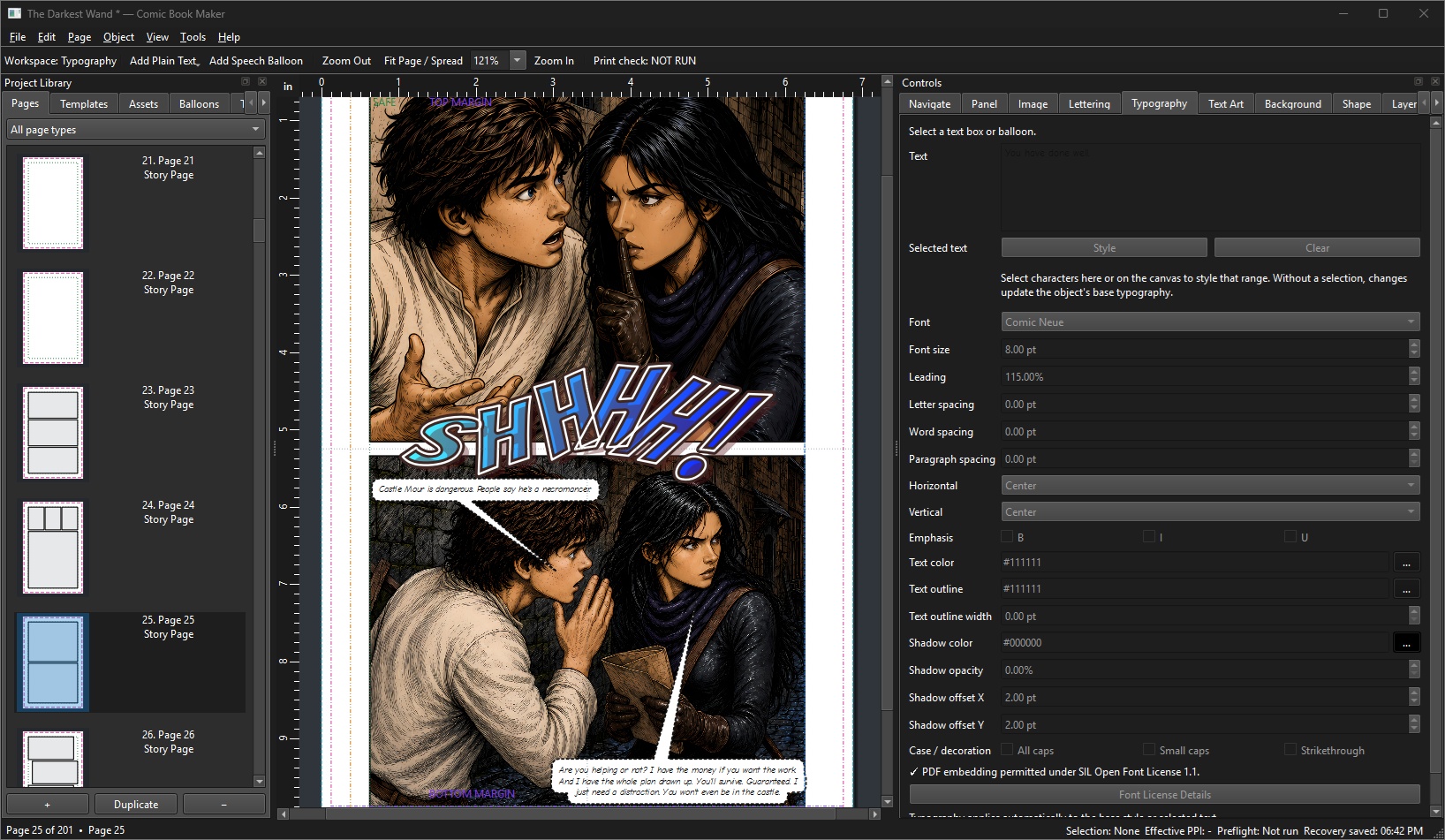
Create speech balloons, thought balloons, caption boxes, bursts, whispers, shouts, robotic speech, off-panel dialogue, and more — with editable vector bodies and independently controlled tails.
Then control the lettering itself with real typography tools: fonts, sizing, alignment, spacing, outlines, shadows, rich formatting, and automatic fit options.
WHAM! KRAK! FOOOOOSH!
Yes, there is a real text-art system.
Titles and sound effects can use gradients, multiple strokes, shadows, glow, bevels, extrusion, skew, rotation, perspective-style effects, arcs, waves, per-letter positioning, textures, patterns, and more.
Because sometimes typing BOOM simply isn't enough.
BUILT WITH PRINT IN MIND
Crazy Comic Constructor isn't just trying to make the page look good on your monitor.
It understands physical page dimensions, bleed, trim, safe areas, binding gutters, image resolution, page orientation, font handling, and the things that tend to go horribly wrong five minutes after you upload a book to a printer.
A built-in preflight system can flag issues such as low-resolution artwork, missing assets, text overflow, unsafe content placement, font problems, page geometry issues, and other potential publishing problems.
Export options include print-ready PDFs as well as screen, proof, and lower-resolution review copies.
Lulu users: I'm especially thinking of you.
Crazy Comic Constructor includes a dedicated Lulu-oriented workflow with print profiles, bleed and trim handling, preflight checks, and final PDF validation designed to catch problems before your book reaches the upload screen.
I've used the Lulu guidance to make this work seamlessly for you because I wanted it to work seamlessly for me.
BUILT WITH PYTHON, PYSIDE6 & QT
Crazy Comic Constructor is built with Python and PySide6, the official Qt for Python bindings.
And Qt deserves some love here.
Its mature desktop application framework, graphics system, widgets, PDF capabilities, and cross-platform foundations make it possible for an independent open-source project like this to provide the kind of rich visual desktop interface that would otherwise require an enormous amount of low-level engineering.
I'm in the neighborhood of a 100,000 lines of code. Qt is millions and millions. Thank you Qt!
FREE & OPEN SOURCE — GPLv3
Crazy Comic Constructor is released under the GNU General Public License version 3.
That means you own it. Right now.
This isn't a crippled demo, a subscription funnel, or a bait and switch. Go build your comic.
Development log
- Crazy Comic Constructor Helps You Before You Print9 days ago
- Announcing Crazy Comic Constructor9 days ago